
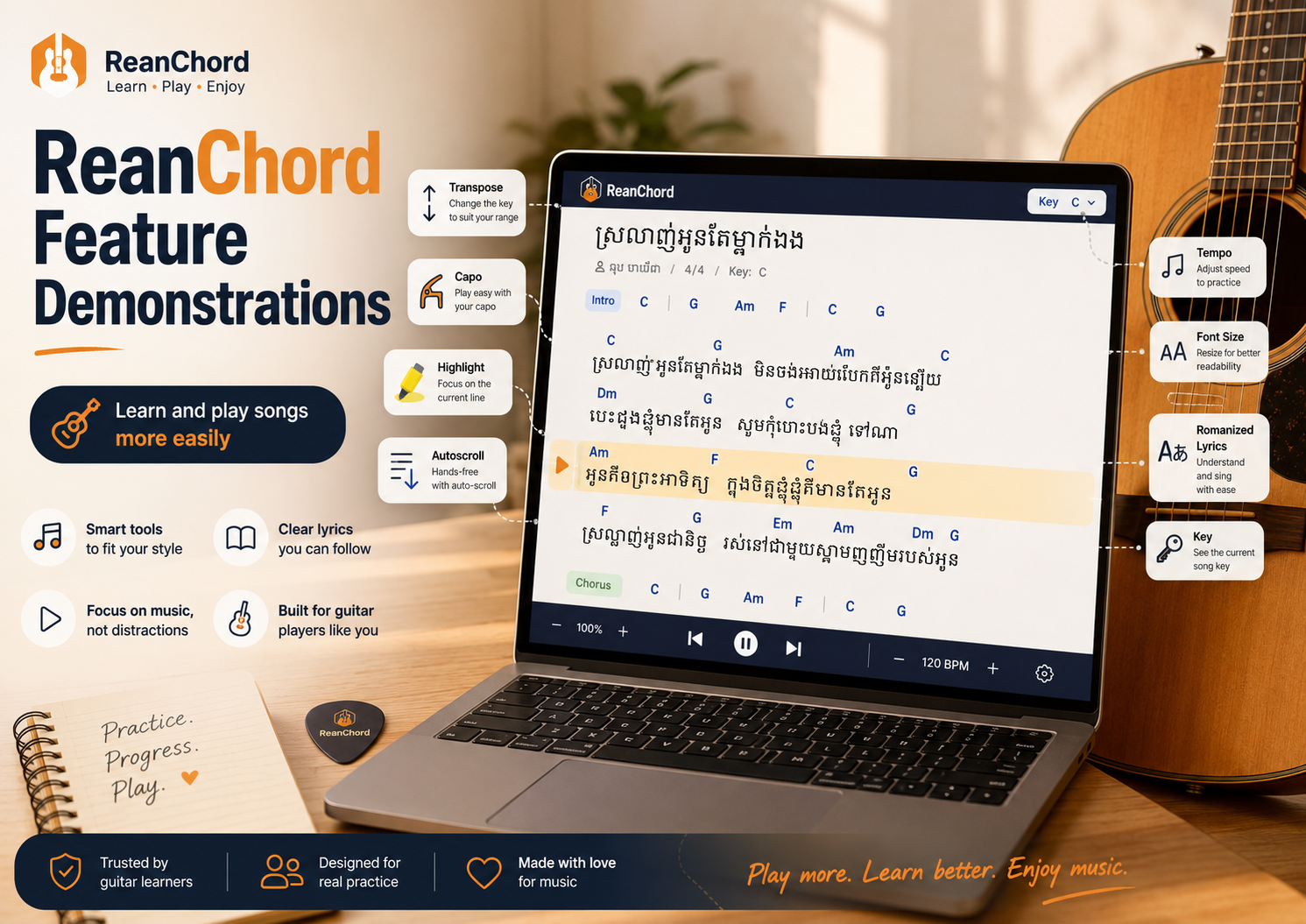
ReanChord Feature Demonstrations
ReanChord Feature Demonstrations: Learn and Play Songs More Easily
ReanChord is designed to make Khmer chord sheets easier to read, practise, and perform. Instead of showing only lyrics and chord names, each song page includes tools that help you adjust the music to your voice, simplify difficult chords, follow the correct lyric syllables, and play without touching the screen.
This guide demonstrates the main ReanChord features and explains when each one is useful.
1. Transpose: Change the Song’s Key
Transpose moves every chord in the song higher or lower by the same number of semitones.
Use it when:
- the melody is too high or too low
- the original key contains difficult chords
- you need to match another singer or instrument
- you want to practise the song in a friendlier key
Imagine a song in :
– – –
Transpose it up two semitones and it becomes:
– – –
Every chord changes together, so the musical relationship stays the same.
Demonstration
- Open a song on ReanChord.
- Find the Transpose controls.
- Press
+to move higher or–to move lower. - Watch every chord and the key label update.
- Sing the verse and chorus to test the new key.
Move one semitone at a time. Test the highest part of the chorus before choosing the final key.
2. Capo: Use Easier Chord Shapes
A capo clamps all six strings at one fret and raises the guitar’s pitch.
The Capo feature shows the shapes you should finger while preserving the true sounding key.
For example:
- the song sounds in
- the capo is at fret 2
- you play a shape
The guitar sounds , but your hand uses .
Suppose the original progression is:
– – –
With a capo at fret 3, ReanChord can show:
– – –
The song still sounds in , but the shapes are easier.
Demonstration
- Choose a capo position on the song page.
- Place a real capo close behind that fret.
- Follow the shapes displayed by ReanChord.
- Retune if the strings become slightly sharp.
Use Transpose to fit your voice, then use Capo to simplify the fingering.
3. Highlight: See Where Chords Change
A common beginner problem is changing a chord too early or too late.
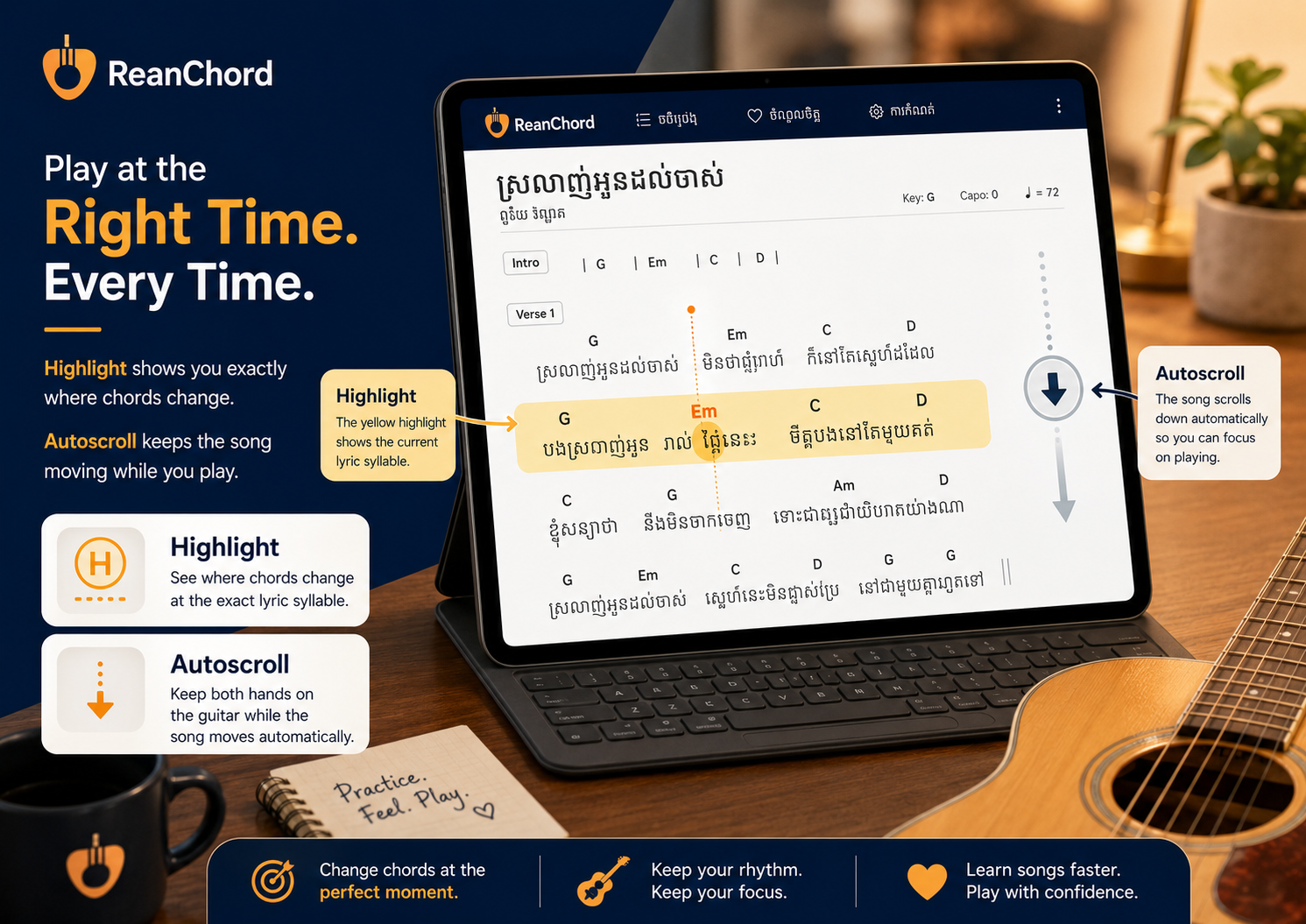
The Highlight feature marks the lyric syllable where each chord change occurs.
Example:
[C]              [G]
I found a love   for me
Change to when you reach the syllable directly below it, not at the end of the line.
Demonstration
- Turn on Highlight.
- Read one lyric line slowly.
- Play one down-strum on every highlighted chord change.
- Repeat until your hand and voice move together.
- Add a full strumming pattern only after the timing is accurate.
Highlight is especially useful for unfamiliar Khmer lyrics, fast changes, and singing while playing.
4. Autoscroll: Keep Both Hands on the Guitar
Autoscroll moves the chord sheet automatically.
This prevents you from stopping to touch the screen while playing.
Demonstration
- Open the song.
- Turn on Autoscroll.
- Begin with a slow scrolling speed.
- Start from the intro or first verse.
- Adjust the speed if the next line appears too early or too late.
The next section should become visible before you need it.
Practise the song manually before using Autoscroll in a performance so you already understand the structure.
5. Tempo Feel: Practise at the Right Speed
Rhythm is as important as clean chords.
If the original song feels too fast, begin slowly.
Try:
1 2 3 4
D D D D
Start near 60 BPM and use one down-stroke on each beat.
When the changes stay clean, add up-strokes:
1 & 2 & 3 & 4 &
D U D U D U D U
Tempo practice is useful for strumming, fingerpicking, singing, and difficult chord transitions.
A simple rhythm in time sounds better than a complicated rhythm played unevenly.
6. Font Size: Read Comfortably
Small text can force you to lean toward the screen and lose good posture.
Use the Font Size control to enlarge the lyrics and chord names.
Demonstration
- Place the device where you normally practise.
- Sit in your normal playing position.
- Increase the font size until , , , and are easy to read.
- Keep enough lines visible to see what comes next.
- Combine the larger text with Autoscroll.
Choose a size that is clear from a comfortable distance.
7. Romanized Lyrics: Sing Without Reading Khmer Script
ReanChord provides romanized Khmer lyrics for players who cannot yet read Khmer script confidently.
Romanization uses Latin letters to represent Khmer pronunciation.
It helps:
- overseas Cambodian learners
- non-Khmer speakers
- beginners learning pronunciation
- singers practising unfamiliar songs
Demonstration
- Open a supported song.
- Switch to romanized lyrics.
- Listen to the original recording.
- Read one line aloud.
- Match its pronunciation and rhythm.
- Add the chords slowly.
Romanization is a learning aid. Always listen to the original singer because some Khmer sounds cannot be represented perfectly in English letters.
8. Key Label: Know the True Sounding Key
The Key label shows the song’s true musical key.
This matters when:
- playing with a keyboard or bass
- accompanying another singer
- using a capo
- transposing
- arranging two guitars
When you transpose, the key label changes.
When you use a capo, the shapes may change while the true sounding key stays the same.
Knowing the key helps musicians communicate clearly.
9. Complete ReanChord Practice Workflow
Here is a practical way to combine the features.
Step 1: Open the Song
Check the original key and chord list.
Step 2: Test Your Voice
Sing the verse and chorus. Use Transpose until both are comfortable.
Step 3: Simplify the Chords
Use Capo to find familiar shapes such as:
, , , , and
Step 4: Turn On Highlight
Practise changing on the correct syllables.
Step 5: Adjust the Display
Increase the font size and place the screen near eye level.
Step 6: Practise Slowly
Use steady down-strokes before trying a full pattern.
Step 7: Turn On Autoscroll
Match the scroll speed to your playing.
Step 8: Play the Full Song
Continue through small mistakes instead of restarting.
10. Full Feature Example
Imagine a song with these original chords:
– – –
The melody is too high and is difficult.
Transpose
Move the song down two semitones:
– – –
The voice may fit better, but the shapes remain difficult.
Add a Capo
Place a capo at fret 3 and use:
– – –
The song sounds in , but your hand uses easier shapes.
Highlight
Turn on Highlight to see exactly where , , , and change under the lyrics.
Autoscroll
Choose a comfortable speed and play without touching the screen.
This demonstrates how ReanChord tools solve different problems within the same song.
Final Thoughts
ReanChord’s features work best together:
- Transpose fits the song to your voice.
- Capo simplifies chord shapes.
- Highlight shows the exact change point.
- Autoscroll keeps your hands on the guitar.
- Tempo practice improves timing.
- Font Size improves readability.
- Romanized Lyrics make Khmer songs accessible.
- Key labels keep musicians coordinated.
Start with one feature at a time, then combine them into a complete workflow.
The goal is not only to read a chord sheet. The goal is to play the whole song with cleaner changes, better timing, and more confidence.
— Written by the ReanChord team.